> For the complete documentation index, see [llms.txt](https://doc.batch.com/llms.txt). Markdown versions of documentation pages are available by appending `.md` to page URLs; this page is available as [Markdown](https://doc.batch.com/guides-and-best-practices/message/email/templates-and-modules-management/how-to-upload-your-email-templates.md).
# How to upload your email templates?
This article shows how to correctly upload HTML email templates on the Dashboard from a ZIP file.
If you want to use your own email templates, you can directly import them on your Batch dashboard.
## Prerequisities
Before you upload your file, you need to create your own HTML email template. Whether you create your templates yourself or use an e-mail builder, your file must be a single **compressed ZIP file** containing:
* A single HTML file saved as "**index.htm(l)**" or "**mail.html**" (with a maximum size of 512kb)
* A single image folder containing all the images of your e-mail template saved as "**images**"
💡 Depending on your operating system, compress the file selecting both elements ("**index.html file**" (or mail.html) + "**images" folder**")
For example, here is how it goes on macOS:
{% hint style="danger" %}
If you want the images to be hosted by Batch, you need to put them in the image folder and replace the URLs in the HTML (with a code editor for example) before uploading the ZIP file on the Dashboard.
{% endhint %}
## Uploading your template
{% stepper %}
{% step %}
### Create a new campaign
On your Batch Dashboard, go to **Campaigns > New campaign > Email message**, name it to start a new campaign, choose the targeting and timing, and go to the **Message** section:
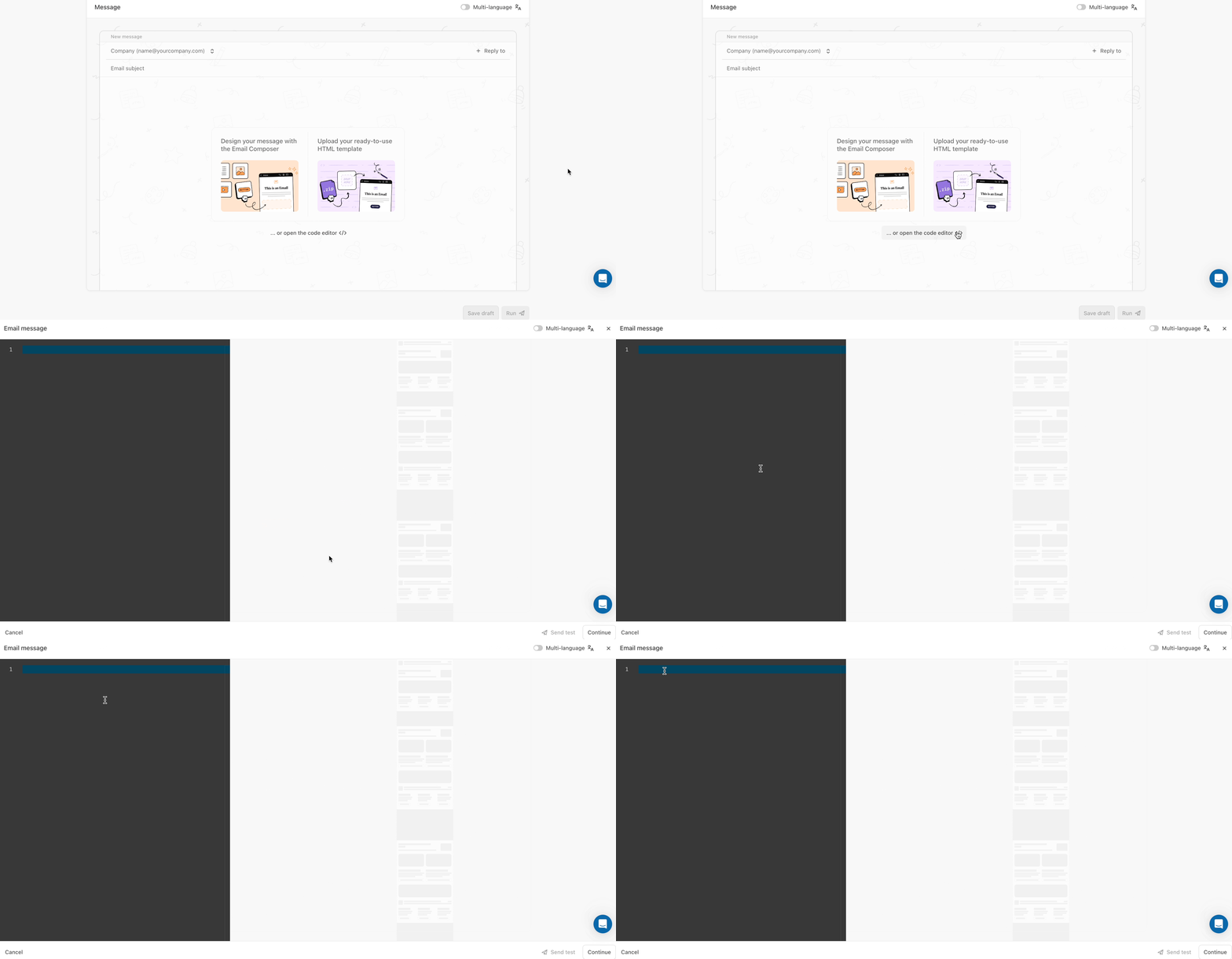
You can choose between '**Design your message with the Email Composer**', '**Upload your ready-to-use HTML template**', or '**Open the code editor \**'.\
We'll focus on the last two!
{% endstep %}
{% step %}
### Upload your ready-to-use HTML template
If you choose to directly add your file, click on '**Upload your ready-to-use HTML template**' and select your file.
It will be added and the preview of your template will appear:
{% hint style="warning" %}
If this one does not suit you, you can click on **Delete** and upload a new one or if you want to make some changes, you can edit it by clicking directly on **Edit Email**.
{% endhint %}
{% endstep %}
{% step %}
### Open the code editor \
If you choose to add your template via the HTML code retrieved from your e-mail builder, click on '**Open the code editor \**' and add the code:
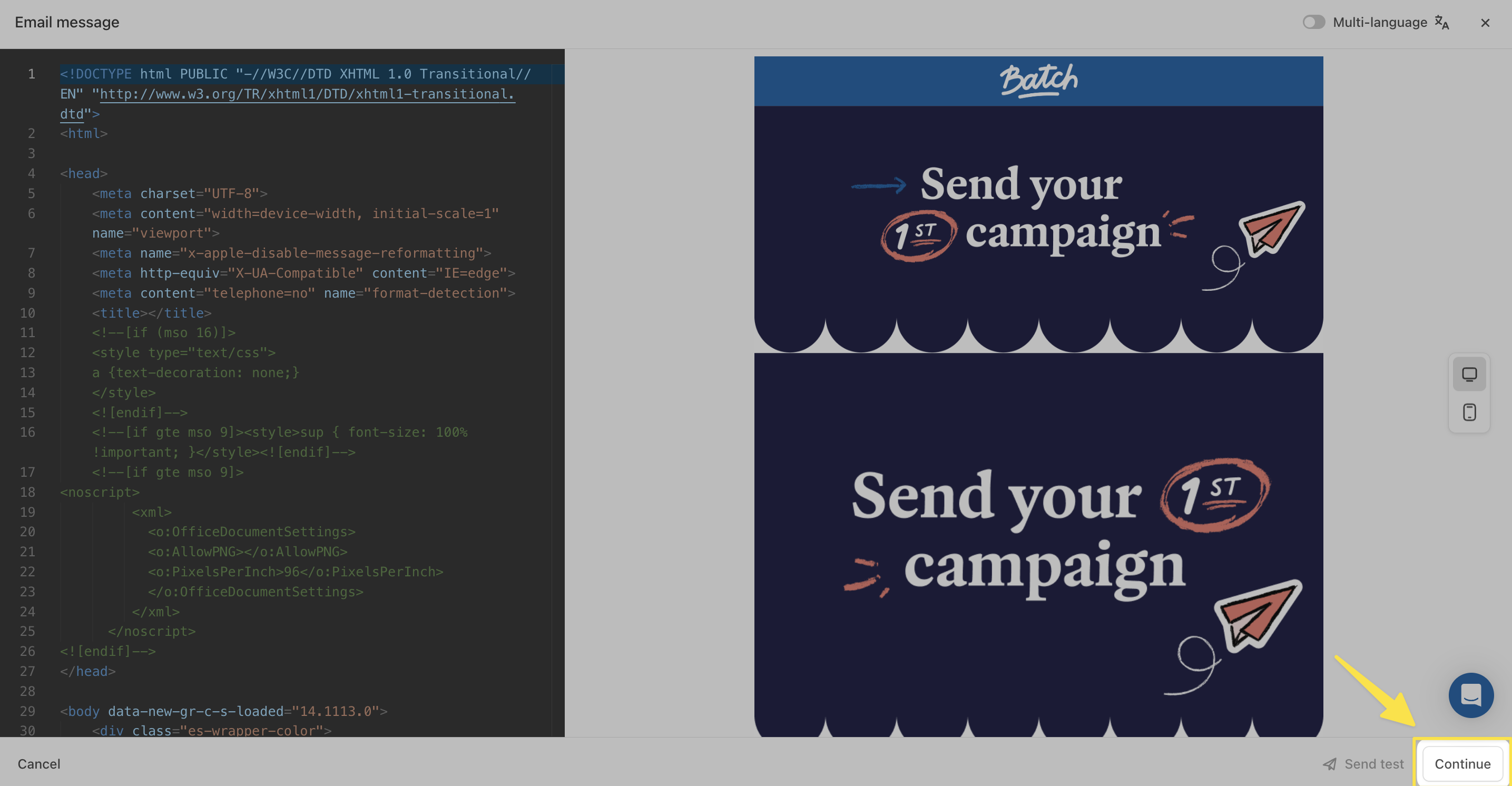
Once all the content of your email is adjusted, click on **Continue:**
Your email is now ready to be sent! ✨
{% hint style="warning" %}
Before launching your email, don't forget to test it by using the **Send test** feature.
{% endhint %}
{% endstep %}
{% endstepper %}
Don't hesitate to use the **Dashboard's preview mode** and send yourself test emails to check that your emails are displayed correctly regardless of the device.
---
# Agent Instructions
This documentation is published with GitBook. GitBook is the documentation platform designed so that both humans and AI agents can read, navigate, and reason over technical content effectively. Learn more at gitbook.com.
## Querying This Documentation
If you need additional information that is not directly available in this page, you can query the documentation dynamically by asking a question.
Perform an HTTP GET request on the current page URL with the `ask` query parameter, and the optional `goal` query parameter:
```
GET https://doc.batch.com/guides-and-best-practices/message/email/templates-and-modules-management/how-to-upload-your-email-templates.md?ask=&goal=
```
`ask` is the immediate question: it should be specific, self-contained, and written in natural language.
`goal` is optional and describes the broader end goal you are ultimately trying to accomplish on behalf of the user. GitBook uses it to tailor the answer towards what is most useful for that goal.
The response will contain a direct answer to the question and relevant excerpts and sources from the documentation.
Use this mechanism when the answer is not explicitly present in the current page, you need clarification or additional context, or you want to retrieve related documentation sections.
.gif?alt=media&token=1cee2636-bc4f-4e75-8883-d6f7cdc67cba)